How to Organize Home Documents the Right Way
Learn how to organize home documents with a proven 5-step system. Covers digital storage, filing categories, and retention timelines backed by IRS guidelines.
By the Real Estate Ledger Team
The average American homeowner spends roughly $3,192 per year on home maintenance and repairs, generating dozens of receipts, invoices, warranties, and contracts annually. Yet most of those documents end up in a kitchen drawer, a forgotten email thread, or a filing cabinet nobody opens until something goes wrong. When a pipe bursts at 2 a.m. or a buyer's agent asks for your HVAC service history, scrambling through boxes costs time, money, and negotiating leverage.
Learning how to organize home documents is not about achieving inbox-zero perfection. It is about building a house document organization system that protects your investment, simplifies tax season, and adds real value when you sell. This guide walks you through a practical, five-step property document storage system you can set up in a single afternoon and maintain with minimal effort going forward.
Step 1: Gather Every Document Into One Place
Before you can organize anything, you need to see everything. Start by collecting every piece of paper, PDF, and email confirmation related to your home. Pull documents from these common hiding spots:
- Closing day folder: deed, title insurance policy, closing disclosure, mortgage note
- Email inboxes: contractor quotes, inspection reports, warranty confirmations
- Filing cabinets and drawers: insurance declarations, property tax bills, HOA correspondence
- Phone photos: snapshots of meter readings, serial number labels, paint color codes
- Cloud drives: scattered PDFs across Google Drive, Dropbox, and iCloud
A homeowner in Austin, Texas found 47 separate property-related files spread across three email accounts, a shoebox of receipts, and a Google Drive folder labeled "House Stuff." After consolidating everything, she discovered a $1,200 manufacturer warranty claim on her three-year-old Bosch dishwasher. The proof-of-purchase email had been buried in a spam folder, and the warranty was set to expire in six weeks.

Step 2: Sort Documents Into Functional Categories
Once everything is in one place, sort documents into categories based on how you will actually use them. Forget alphabetical order. Organize by function. Here are the six categories that cover virtually every home document:
| Category | What It Includes | How Long to Keep | IRS Reference |
|---|---|---|---|
| Purchase & Title | Deed, title insurance, closing disclosure, purchase agreement, survey | As long as you own the home + 3 years after sale | Pub 530 (basis records) |
| Mortgage & Finance | Loan documents, monthly statements, refinancing paperwork, property tax bills | Until loan is paid off + 7 years | Pub 530 (deductible interest, SALT) |
| Insurance | Homeowners policy declarations, rider endorsements, flood/earthquake coverage, claim records | Current policy + 7 years after expiration | Pub 547 (casualty loss claims) |
| Maintenance & Repairs | Service invoices, contractor receipts, inspection reports, before/after photos | As long as you own the home | Pub 523 (sale of home) |
| Warranties & Manuals | Appliance warranties, system warranties, builder warranty, product manuals | Until warranty expires + 1 year | N/A (contractual, not tax) |
| Home Improvements | Permits, contractor contracts, material receipts, architectural plans, photos | As long as you own the home + 3 years after sale | Pub 523, Pub 551 (cost basis) |
According to IRS Publication 530, homeowners must keep records that prove the basis and adjusted basis of their home, including records of capital improvements that increase the property's value. The retention periods above reflect both IRS audit windows and practical usefulness.
For a deeper look at what belongs in each category, see our homeowner document checklist, which breaks down every document type with specific examples.
Step 3: Choose Between Physical, Digital, or Hybrid Storage
Every home documentation system falls into one of three approaches. The right choice depends on your comfort level with technology and the volume of documents you manage.
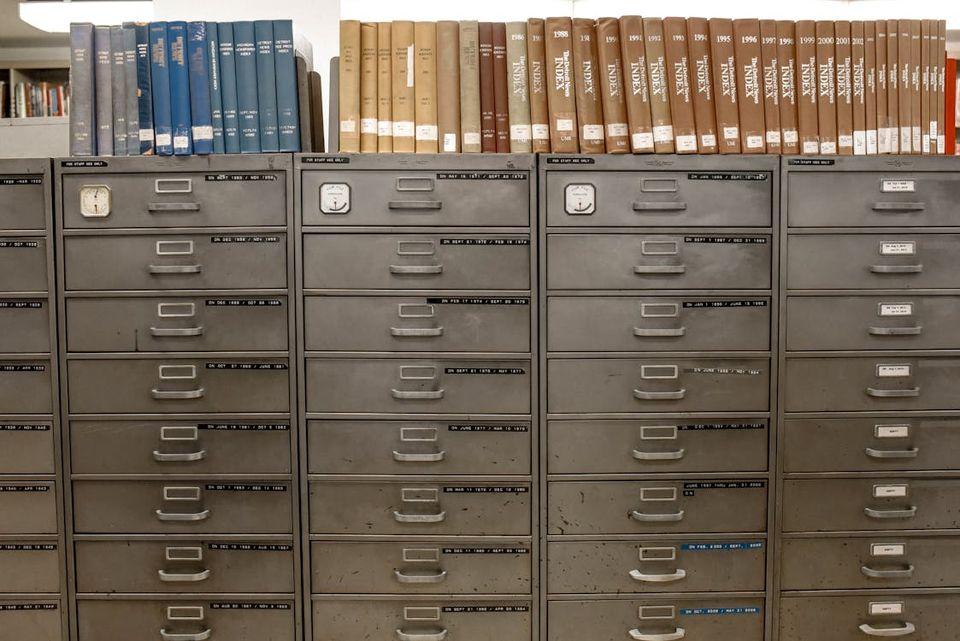
Physical-only systems use a fireproof filing cabinet with labeled hanging folders matching the six categories above. The downside: physical documents cannot be searched, shared, or accessed remotely.
Digital-only systems offer searchability, cloud backup, and instant sharing. According to Oklahoma State University Extension, using a YYYYMMDD date format ensures files sort chronologically without manual rearranging.
Hybrid systems keep originals of irreplaceable legal documents (deed, title insurance, mortgage note) in a fireproof safe and scan everything else into a digital property document storage system. This is what most financial advisors recommend. For a deeper look at building a complete system around whichever approach you choose, see our homeowner record keeping system guide.
| Feature | Physical Filing | Generic Cloud Storage | Dedicated Home Document App |
|---|---|---|---|
| Searchability | None | File names only | Full text + metadata |
| Sharing with buyer/agent | Photocopy or scan | Email links | One-click report generation |
| Disaster protection | Fire/flood risk | Cloud-backed | Cloud-backed + verification |
| Setup effort | Low | Medium | Low-medium |
| Ongoing maintenance | High (manual filing) | Medium (manual naming) | Low (auto-categorization) |
Step 4: Build a File-Naming and Folder Convention
Without consistent naming, your "organized" digital folder becomes another junk drawer within six months. Use this format: [Category][YYYY-MM-DD][Description]_[Vendor].pdf
Examples:
Maintenance_2026-01-15_FurnaceInspection_ComfortAir.pdfImprovement_2025-09-20_KitchenRemodel_Permit_CityOfDenver.pdf
Create a top-level folder called "Home Records" with subfolders for each of the six categories. For multiple properties, add a property-level folder first: Home Records > 123 Elm Street > Maintenance. This structure means you can find any document in under 30 seconds.
To track the condition and history of your home systems alongside documents, our home maintenance tracker provides a complementary logging framework.
Step 5: Set a Maintenance Routine That Actually Sticks
The most common failure mode for any house document organization system is the initial burst of effort followed by months of neglect. Prevent this with two simple habits:
The 2-minute rule: Every time a home-related document arrives — a contractor invoice, a warranty card, an insurance renewal — file it immediately. If it takes less than two minutes, do it now. Scan physical receipts with your phone camera and upload them that same day.
The quarterly review: Set a calendar reminder every three months to review your folders. Delete expired warranties, update insurance declarations, and confirm that recent maintenance is logged. This 15-minute check keeps your home documentation system current without becoming a chore. For a broader look at what records deserve ongoing attention, our guide on how to keep records for your house covers the full spectrum.
According to FEMA's disaster preparedness guidance, homeowners who cannot produce documentation of home ownership and occupancy after a disaster face delays in receiving assistance. Maintaining digital backups of your critical documents in the cloud ensures you can access them even if your physical files are destroyed.

The System That Pays for Itself
Over a seven-to-ten-year ownership span, a single missed warranty claim, a lost receipt, or an avoidable inspection concession can cost thousands. Start with step one: gather everything into one place. The rest follows naturally.
Frequently Asked Questions
How long should I keep home improvement receipts?
Keep home improvement receipts for as long as you own the property, plus at least three years after you file your tax return for the year you sell. According to IRS Publication 523, capital improvements increase your home's cost basis, which can reduce taxable capital gains when you sell. Without receipts, you lose the ability to claim those adjustments.
What is the best way to digitize old paper home documents?
Use a smartphone scanning app to capture clear images of each document. Save as PDF, name using a consistent convention, and upload to cloud storage. For large batches, a sheet-fed scanner can process 20-30 pages per minute. Always keep originals of irreplaceable legal documents like your deed.
Should I keep physical copies of my deed and mortgage?
Yes. Your deed and mortgage note are original legal instruments. Keep physical originals in a fireproof safe or bank safe deposit box, with digital backups for accessibility.
Can organized home documents increase my sale price?
According to the National Association of Realtors, 86% of buyers rate detailed property information as "very useful" during their search. A complete property record reassures buyers, reduces inspection-driven renegotiations, and can help you avoid five-figure concession requests entirely.
How should I organize documents if I own multiple properties?
Create a top-level folder for each property identified by address. Inside each, replicate the same six-category folder structure. This ensures consistency across properties and lets you pull up records for any single property instantly.
Turn Your Documents Into a Property Advantage
Real Estate Ledger automates the hardest parts of home document organization — AI-powered categorization, searchable storage, and one-click property reports you can share with buyers, lenders, or insurers. Every document is fingerprinted with Digital Evidence technology, creating a tamper-evident history that builds trust and protects your property's value. Get started free for up to 10 properties — no credit card required.
Get started freeRelated Guides
How to Keep Records for Your House: A Complete System That Pays for Itself
Learn what records to keep for your house, how long to store them, and the best systems for organizing property documents. Includes IRS retention timelines.
6 min readThe Complete Homeowner Document Checklist
Complete homeowner document checklist covering purchase records, insurance, maintenance logs, and tax documents. Know exactly what to keep and for how long.
5 min readThe Best Home Maintenance Schedule App in 2026 (Honest Picks)
We tested every major home maintenance schedule app. Honest picks for Cozi, HomeZada, Homer, Dwellin, and Oply, plus the document layer they all miss.
12 min readThe Best Homeowner Apps in 2026 (and Why Most Homeowners Need Two)
We tested the best homeowner apps in 2026. Honest picks for Homer, HomeZada, Dwellin, Cozi, Notion, and Real Estate Ledger, plus which pair to actually install.
10 min read